
Remove GamStop Exclusion: Official UK Recovery Steps
 Available in US
Step-by-step removal process, cooling-off rules, 7-year extension explained, and what to do after access is restored.
Post-Exclusion Processing: The Mandatory 24-Hour Wait
Your exclusion period is over. You checked the date twice, maybe three times. And yet, when you tried to log into a betting site, you hit the same wall as before. Nothing changed. The screen still says no.
That is not a glitch. GamStop does not automatically lift your self-exclusion when the calendar runs out. It stays active until you pick up the phone, call the support line, verify your identity, and explicitly ask for removal. There is a 24-hour cooling-off period after that, during which you can still change your mind. Only then does GamStop notify operators to restore your access. The whole process is deliberate, and that deliberateness is the point.
Removing GamStop takes a phone call — but what you do before and after that call is what actually matters. This guide walks through every step of the official removal process, explains the rules that govern it, and covers the things most guides leave out: the 7-year auto-extension that catches people off guard, the difference between GamStop and device-level blocking tools like Gamban, and the responsible gambling measures you should have in place before your first post-exclusion deposit. No affiliate links to offshore casinos. No workarounds. Just the process, the context, and the questions worth asking yourself before you make that call.
Whether you registered for six months, one year, or five years, the removal path is the same. What varies is how ready you are to walk it.
GamStop is the UK's national online self-exclusion scheme, operated by The National Online Self-Exclusion Scheme Limited (NOSES). It is free to use and covers all gambling websites licensed by the UK Gambling Commission (UKGC). When you register, your details are shared with every UKGC-licensed operator, which must block you from opening new accounts or using existing ones for the duration of your chosen exclusion period. GamStop does not cover land-based casinos, the National Lottery, or gambling sites licensed outside the UK.
What GamStop Actually Does to Your Gambling Access
The moment you register with GamStop, every UKGC-licensed operator receives your data within 24 hours. That is not a figure of speech — it is the operational requirement. GamStop functions as a centralised database that sits between you and the entire UK-regulated online gambling market. It does not block websites at the network level or install anything on your devices. Instead, it works at the account level: operators check GamStop's register and must refuse access to anyone whose details match.
The system relies on the information you provide during registration — full name, date of birth, email address, home address, and phone number. GamStop cross-references these details using two third-party verification providers — TransUnion (knowledge-based authentication via credit file questions) and Onfido (facial recognition technology comparing a selfie against photographic ID) — to verify your identity. Once verified, your record is pushed to all participating operators. Those operators are legally required to screen new account applications and existing accounts against the GamStop register. If there is a match, the operator must close or suspend the account. No exceptions, no discretion.
UKGC (UK Gambling Commission) — the regulatory body responsible for licensing and overseeing all commercial gambling in Great Britain. Every online gambling operator serving the UK market must hold a UKGC licence and participate in GamStop as a condition of that licence.
Self-exclusion — a voluntary agreement by which a person restricts their own access to gambling services for a defined period. Under UKGC rules, operators must offer individual self-exclusion schemes, and must also participate in the national multi-operator scheme provided by GamStop.

How GamStop Shares Data with Operators
GamStop operates a real-time API that licensed operators integrate into their registration and login systems. When a new player tries to create an account, the operator's system queries the GamStop database. If the player's details match an active exclusion, the registration is blocked. For existing accounts, operators are required to run periodic checks — typically every 24 hours — to catch any new exclusions that may have been registered since the last scan.
This means that when you sign up for GamStop, the effect is not instantaneous across every single site. Most operators process the data within hours, but the UKGC allows a window of up to 24 hours for full propagation. In practice, some larger operators update more frequently, while smaller ones may take the full day. During that brief gap, it is technically possible to access an account — but this is a timing artefact, not a loophole. Operators who fail to implement GamStop checks face enforcement action from the UKGC, including fines and licence reviews.
What GamStop Does NOT Block
GamStop's reach is broad within its domain, but its domain has clear boundaries. It only applies to online gambling operators holding a UKGC licence. That leaves several categories of gambling entirely untouched.
Land-based casinos and betting shops are not covered. If you walk into a high-street bookmaker or a casino in central London, GamStop will not stop you. For land-based self-exclusion, the UK has separate schemes that operate independently from GamStop: SENSE (Self-Enrolment National Self-Exclusion) covers all licensed land-based casinos, Gamstop Betting Shops (formerly MOSES) covers betting shops, and BISES covers licensed bingo premises (Gambling Commission — self-exclusion schemes).
The National Lottery, including online lottery play through the official site and app, is also outside GamStop's scope. Camelot (now Allwyn as of the February 2024 licence transition) operates under a different regulatory framework, and National Lottery products are not classified the same way as commercial gambling under the Gambling Act 2005.
Offshore gambling sites — those licensed in jurisdictions like Curaçao, Malta, or Gibraltar but not holding a UKGC licence — are not part of the GamStop register. They have no legal obligation to check against it, and most do not. This is a significant gap that some players exploit during their exclusion period, though doing so carries risks: these sites may lack the consumer protections, dispute resolution mechanisms, and responsible gambling tools that UKGC regulation requires.
GamStop Exclusion Periods: 6 Months, 1 Year, 5 Years
Three choices, one rule: you pick the duration, GamStop enforces it without exception. When you register, you select a minimum exclusion period of six months, one year, or five years. That word "minimum" is doing real work — it means the exclusion cannot be shortened, but it also will not end on its own. Once the chosen period expires, your exclusion remains in place until you actively request removal. If you never call, it stays active for another seven years by default.
The distribution of choices tells its own story. According to GamStop's data for 2025, the five-year option remains the most popular across all age groups, accounting for 47% of all registrations. Six-month exclusions have been growing in popularity, particularly among younger users — among those aged 16 to 24, 38% chose the shortest period, suggesting that some are using GamStop as a preventative pause rather than a response to crisis. The one-year option sits in the middle, chosen by those who want more time than a short break offers but are not ready to commit to half a decade.
6 Months
Shortest available period. Cannot be reduced once selected. Popular among younger users as a cooling-off measure. After expiry, you must call to remove or it extends by 7 years.
1 Year
Mid-range option. Provides a longer break without the multi-year commitment. Same removal process applies at expiry. No automatic deactivation.
5 Years
The longest standard exclusion. Chosen by 47% of registrants. Since December 2024, an auto-renewal variant is available — effectively a lifetime block unless you opt out.
Choosing the Right Exclusion Period
There is no universal right answer, but there are some practical considerations. The six-month exclusion works best for people who have identified a specific problem — a period of excessive spending triggered by a life event, for instance — and want structured time away from gambling without committing to years. It is the most reversible choice in the sense that the wait is shortest, but it also offers the least protection if the underlying issue runs deeper than a few months.
The one-year period suits those who want a meaningful break but are uncertain about the long term. It provides enough distance to break habits, engage with support services if needed, and reassess. The five-year exclusion is for people who recognise that their relationship with gambling is seriously harmful and want the strongest barrier available. Since December 2024, GamStop has also offered a "five years with auto-renewal" option, which effectively creates a rolling lifetime block — the exclusion renews automatically every five years unless you contact GamStop to cancel the renewal. By the end of 2025, more than half of all five-year registrants were selecting the auto-renewal variant.
Can You Change Your Exclusion Period Later?
You can extend your exclusion at any time — from six months to one year, or from one year to five years — through your GamStop account. What you cannot do is shorten it. If you chose five years and change your mind six months in, you are still locked for the full five years. GamStop's terms are explicit on this point, and the logic is straightforward: allowing people to reduce their exclusion would undermine the very purpose of the scheme. The decision is meant to be made when you are thinking clearly, and the system is designed to hold that decision in place even when clarity fades.
Can You Cancel GamStop Before Your Exclusion Ends?
The short answer is no. The longer answer is still no.
GamStop's terms of use are unambiguous: once your self-exclusion is active, it cannot be lifted before the minimum period you selected has elapsed. There is no appeal form, no manager to escalate to, no medical exemption, and no financial hardship clause. The customer support team will not process an early removal request regardless of your circumstances. This is not an oversight — it is the core design principle of the scheme.
The rigidity exists for a specific reason. Research into self-exclusion behaviour consistently shows that the urge to cancel peaks in the first few weeks after registration, precisely when the person is most vulnerable to returning to harmful patterns. If GamStop allowed early cancellation on request, it would function as a speed bump rather than a barrier — temporarily inconvenient, easily cleared. The whole point is that it cannot be cleared until the agreed time has passed.
GamStop's official position: Self-exclusion cannot be removed before the minimum period expires. GamStop will not make exceptions to this policy. If your exclusion has not yet ended, do not contact the support line to request early removal — the team will not process it.
There is exactly one narrow exception, and it applies to a very specific situation: if you were registered on GamStop by mistake — for example, if someone else used your details without your knowledge, or if you registered accidentally while intending to use a different service — you can contact GamStop to report this. You will need to provide evidence to support the claim. A simple assertion that you changed your mind does not qualify. The bar is deliberately high, and the process involves investigation by GamStop's team.
For everyone else, the options during the exclusion period are limited to extending the exclusion (you can move from six months to one year, or one year to five years at any time) or waiting it out. Some people look to offshore sites not covered by GamStop as a workaround, and while those sites exist, using them during a period you voluntarily imposed on yourself rather defeats the purpose. The exclusion is a tool you chose to use. The discomfort of being locked out is not a flaw — it is the mechanism working as intended.
From a harm-reduction perspective, the inability to cancel early is one of GamStop's strongest features. It means the decision is made once, under whatever conditions prompted it, and then protected from reversal during the period when reversal is most likely to cause harm. If you could cancel the moment it got uncomfortable, it would protect no one.
Now that the rules are clear — no early exit, no automatic expiry — here is the actual process for removing your GamStop exclusion once your minimum period has ended.
Step-by-Step: How to Remove GamStop After Expiry
This is the only legitimate process — everything else you read online is noise. There are five steps, they follow a fixed sequence, and the whole thing can be completed within about 48 hours if you have everything ready. No step can be skipped, and no alternative channel (email, live chat, social media) will process a removal request on its own. The removal must be done by phone.

Step 1: Check Your Exclusion Status
Before you contact anyone, confirm that your exclusion period has actually expired. Log into your GamStop account at gamstop.co.uk and check your self-exclusion status. The account dashboard will show your registration date, the exclusion period you selected, and whether the minimum period has elapsed.
If you no longer have access to your account — forgotten password, old email address, changed phone number — you can contact GamStop's support team to recover access, but this is a separate process from removal and may take additional time. Sort out account access first. Do not call the removal line until you have confirmed that your exclusion has expired. GamStop's support team will not process a removal request for an active exclusion, and calling prematurely just wastes everyone's time.
If you are unsure of your exact expiry date, check the confirmation email you received when you first registered. It will contain your start date and exclusion duration. Count forward from there.
Step 2: Contact GamStop (Phone, Hours, What to Say)
Once you have confirmed that your exclusion has expired, the next step is to request a verification code from your GamStop account. You will need this code during the phone call. Generate it through your account dashboard before dialling.
Then call GamStop's freephone number: 0800 138 6518. The line is open every day, from 10am to 8pm (gamstop.co.uk/contact-us). There is no separate line for removal requests — this is the general support number, and the team handles removals as part of their standard workflow.
When you get through, tell them that your minimum exclusion period has expired and you would like to request removal of your self-exclusion. The advisor will ask for your verification code and confirm your identity. They may also ask why you want to remove the exclusion — this is not a gatekeeping question, but part of a welfare check to ensure you are making the decision freely and are aware of the support services available. Be straightforward. You do not need to justify the decision at length, but do expect the conversation to touch on responsible gambling.
Call volume varies, but the line is generally manageable. Weekday mornings tend to be quieter. If you get a busy signal or a queue, try again later in the day or on a different day. The process is not going anywhere.
Step 3: Identity Verification
During the call, the GamStop advisor will verify your identity by cross-referencing the details you provided during registration. This typically includes your full name, date of birth, home address, and the verification code you generated from your account. In some cases, you may be asked additional security questions.
This step exists to prevent someone other than the account holder from requesting removal. GamStop takes this seriously — they will not process a removal without being satisfied that they are speaking to the right person. If there are discrepancies (for example, if you have moved house since registering and your address no longer matches), you may need to update your details first, which can add a day or two to the timeline.
Make sure the personal details on your GamStop account are current before you call. If anything has changed — address, phone number, email — update it through your account first. It saves complications during the verification call.
Step 4: The 24-Hour Cooling-Off Period
Once the advisor has verified your identity and processed your removal request, a mandatory 24-hour cooling-off period begins. During this time, your exclusion remains fully active. You cannot access any UKGC-licensed gambling sites, and no operator will receive notification of your removal until the 24 hours have passed.
The cooling-off period is your final opportunity to change your mind. If at any point during those 24 hours you decide you are not ready to return to gambling, you can call GamStop back on the same number and cancel the removal request. Your exclusion will remain in place as if nothing happened. There is no penalty for changing your mind, and you can go through the removal process again at a later date.
This window exists because the decision to return to gambling should survive a night's sleep. If you are certain today, you should still be certain tomorrow. If that overnight pause introduces doubt, that doubt is information worth listening to.
Step 5: Confirmation and Account Restoration
After the 24-hour cooling-off period ends without cancellation, GamStop processes the removal. Your details are updated in the central database, and operators are notified that your exclusion has been lifted. GamStop will confirm the removal — typically by email or during a follow-up call.
However, "removal confirmed by GamStop" does not mean instant access to every gambling site. Individual operators need time to process the update on their end. Most major operators reflect the change within 24 to 48 hours, but some smaller sites may take longer. If you try to log in immediately after GamStop confirms removal and find that you are still blocked, wait a day and try again. If the block persists beyond 72 hours, contact the operator directly — the issue is on their side, not GamStop's.
You may also find that some operators require you to reactivate your account manually. Accounts that were suspended during your exclusion period may need to be reopened through the operator's own customer support. In some cases, operators may have closed your account entirely and you will need to re-register. Any funds that were in your account at the time of exclusion should still be available — UKGC rules require operators to return balances to self-excluded players — but check with each operator individually if you had outstanding balances.
The 7-Year Auto-Extension Nobody Talks About
Miss the window, and your 6-month break turns into a 7-year lockout. This is the single most important piece of information that GamStop users fail to absorb, and most competitor guides bury it in a footnote if they mention it at all.
Here is how it works: when your minimum exclusion period expires, GamStop does not contact you. There is no reminder email, no push notification, no letter in the post. If you do not actively call to request removal, your exclusion remains in place for an additional seven years from the date your original period ended. This is not a penalty. It is the default state for anyone who does not come back to claim their access.
GamStop's rationale is straightforward. If someone registered for self-exclusion and then never returned to remove it, the safest assumption is that they either still need the protection or have moved on from gambling entirely. In neither case does it make sense to automatically restore access. The seven-year extension ensures that people are only returned to the gambling environment when they make a conscious, verified decision to re-enter it.
The data-retention implications are worth noting as well. GamStop holds your personal information for the duration of your exclusion, including any extension period. If your original six-month exclusion rolls into a seven-year extension, GamStop retains your name, date of birth, address, and contact details for the full 7.5 years. This is consistent with their privacy policy and with data-protection obligations under UK GDPR, but it is something to be aware of if you care about how long your information sits in the system.
Timeline: How a 6-Month Exclusion Becomes 7.5 Years
Registration date: 1 January 2026
Exclusion period selected: 6 months
Minimum exclusion ends: 1 July 2026
No removal requested → 7-year auto-extension begins
Extended exclusion ends: 1 July 2033
Total time excluded: 7 years, 6 months

The same arithmetic applies to every exclusion period. A one-year exclusion that is not removed becomes eight years. A five-year exclusion becomes twelve. If you chose the five-year auto-renewal option introduced in December 2024, the extension is effectively permanent — the exclusion renews every five years without intervention, and you must opt out rather than opt in.
If you have any intention of returning to gambling after your exclusion period, mark the expiry date in your calendar. Set a reminder. Tell someone. The process for removing the exclusion is simple, but it requires you to initiate it. GamStop will not do it for you, and silence is treated as consent to continue.
What Happens After GamStop Is Removed
Your GamStop removal is confirmed — now the responsibility shifts entirely back to you. The database has been updated, operators have been notified, and the barrier between you and UK-licensed gambling sites is gone. What happens next depends on the choices you make in the first few days, and those choices matter more than most people realise.
The transition from enforced exclusion to voluntary restraint is the most vulnerable point in the process. During your exclusion, the system did the work for you. Now it does not. Every deposit, every session, every decision is yours again. Treat that shift seriously.
How Long Until Gambling Sites Reactivate Your Account
After GamStop confirms your removal, operators receive the update through the same data-sharing mechanism that locked you out in the first place. Most large operators — the household names in UK online gambling — process the change within 24 to 48 hours. Smaller operators may take up to 72 hours. A few may require you to contact them directly to reactivate a suspended account.
Do not assume that your old accounts will work immediately. Some operators close accounts entirely when a self-exclusion is registered, rather than merely suspending them. In those cases, you may need to create a new account and go through the standard registration and verification process again. If you had a balance or pending withdrawals at the time of exclusion, contact the operator's support team to arrange the return of those funds. Under UKGC rules, operators must make reasonable efforts to return balances to self-excluded customers, but the process is not always automatic.
If a particular operator still blocks you after 72 hours, the issue is likely on their side. Contact their customer support and reference the fact that your GamStop exclusion has been removed. They may need to manually update their records.
Setting Limits Before Your First Deposit
Before you put a single pound into any gambling account, set your limits. Every UKGC-licensed operator is required to offer deposit limits, loss limits, and session time controls. These tools exist precisely for moments like this — the return to gambling after a period of absence — and using them is not a sign of weakness. It is basic financial hygiene. The next section covers each tool in detail, but the principle is simple: decide how much you can afford to lose before you start playing, set that number as a hard cap, and do not touch it in the heat of a session.
Do
- Set deposit, loss, and session time limits on every site before your first bet.
- Start with lower stakes than you used before your exclusion period.
- Keep a written record of your gambling spending for the first few months.
- Tell someone you trust that you have returned to gambling — accountability helps.
- Use Gamban or bank-level gambling blocks on devices you do not want to gamble from.
Don't
- Deposit your full monthly budget on day one.
- Chase losses from before your exclusion — that money is gone.
- Assume the exclusion period "fixed" everything without ongoing effort.
- Ignore early warning signs: irritability when not gambling, hiding activity, increasing stakes.
- Dismiss the idea of re-registering with GamStop if things start slipping again.
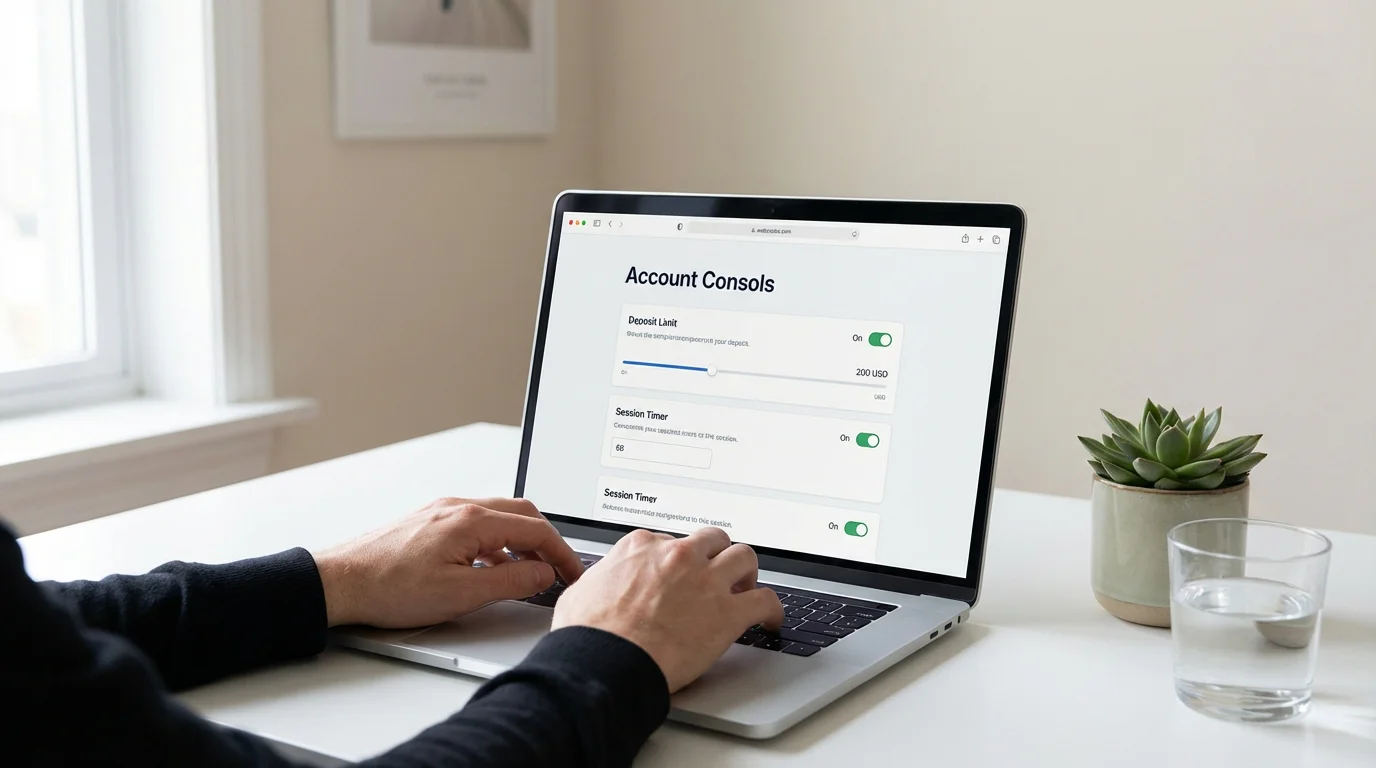
Return-Readiness Safeguard Planner
If your exclusion has ended, put your protections in place before anything else.
Once GamStop is lifted, the system stops doing the work — the responsibility shifts back to you. The strongest thing you can do is build the safeguards before you go near a deposit. Tick what you already have in place; this planner shows how protected you are and what's still open. It won't help you remove or bypass an exclusion — it only helps you stay in control.
That uncertainty isn't a problem to solve — it's information worth respecting. There's no deadline here, and no wrong answer. If any part of you is hesitating, it's completely reasonable to wait, or to keep your protections in place for longer. Talking it through with someone free and confidential can help you decide with a clear head.
GamStop vs Gamban vs Individual Operator Exclusion
GamStop is one tool in a kit of three — and each blocks a different door. Understanding the distinctions matters, because people often assume GamStop covers everything when it covers only one layer. If you are thinking about self-exclusion, or if you have just removed your GamStop exclusion and want to keep some protections in place, knowing what each tool does (and does not do) will help you make better decisions.
GamStop operates at the operator level. It tells every UKGC-licensed gambling company to block your account. The block is comprehensive within its scope — it covers all UK-regulated online gambling — but it does not touch your device, your browser, or sites outside UK regulation. If you type the URL of an offshore casino, GamStop will not stop you.
Gamban works at the device level. It is a software application you install on your phone, tablet, or computer that blocks access to gambling websites and apps regardless of where they are licensed. Gamban's blocklist includes thousands of gambling domains — UKGC-licensed, offshore, crypto casinos, the lot. It does not communicate with operators or affect your accounts; it simply prevents your device from loading gambling content. It is free in the UK through a partnership with GamCare and the TalkBanStop programme, and it runs silently in the background. The trade-off is that Gamban can be uninstalled (though the process is deliberately inconvenient) and it only protects the devices it is installed on.
Individual operator exclusion is the most granular option. Every UKGC-licensed operator is required to offer its own self-exclusion scheme, allowing you to exclude yourself from that specific site for a minimum of six months. This is useful if your problem is concentrated on one platform — a particular casino, a specific bookmaker — rather than gambling in general. The limitation is obvious: excluding yourself from one site does nothing about the hundreds of others.
| Feature | GamStop | Gamban | Individual Operator |
|---|---|---|---|
| Blocking level | Account-level (operator database) | Device-level (software block) | Account-level (single operator) |
| Scope | All UKGC-licensed sites | Thousands of gambling sites worldwide | One operator only |
| Covers offshore sites | No | Yes | No |
| Covers land-based gambling | No | No | No (separate schemes apply) |
| Minimum period | 6 months | 1 year (free version via TalkBanStop) | 6 months (UKGC requirement) |
| Cost | Free | Free (UK, via TalkBanStop) | Free |
| Can be removed early | No | No (during minimum period) | No (during minimum period) |
| Requires installation | No (registration only) | Yes (on each device) | No (request to operator) |
The most effective approach for people with serious gambling concerns is to use all three in combination. GamStop blocks the regulated market. Gamban blocks the unregulated market and covers device-level access. Individual operator exclusion adds a targeted layer for specific problem sites. This is the principle behind TalkBanStop, a joint initiative by GamCare, GamStop, and Gamban that bundles all three tools into a single registration process. It is free, and it provides the most complete coverage currently available to UK consumers.
Responsible Gambling Tools You Should Use After Removal
If the first thing you do after removal is deposit your full monthly budget, something is wrong. The gap between "GamStop is off" and "I am gambling responsibly" is not automatic — it requires deliberate setup. The tools below exist on every UKGC-licensed site, they are free to use, and they take minutes to configure. There is no good reason not to use them.
The UKGC has been tightening requirements around these tools throughout 2025 and into 2026. Since 31 October 2025, all remote operators must prompt customers to set a financial limit before their first deposit and remind them at least every six months to review their settings. From 30 June 2026, new rules will require operators to standardise the definition of "deposit limit" so that it refers strictly to the gross amount paid into an account — ending the confusing practice where some operators defined deposit limits as net of withdrawals, which allowed players to spend more than they intended.
Deposit Limits
Set a daily, weekly, or monthly cap on how much you can add to your account. Once the limit is reached, the site blocks further deposits until the period resets. Reductions take effect immediately; increases are subject to a cooling-off period (typically 24 hours to 7 days, depending on the operator). Set this before you deposit anything. Choose an amount that reflects your entertainment budget, not your aspirations.
Session Time Limits
Specify how long you can play in a single session. When the timer expires, the site interrupts your play with a notification and, in some cases, a forced break. This is especially useful for high-speed games like slots, where time distortion is a well-documented effect. A 30-minute or 60-minute limit forces a pause that your brain will not volunteer on its own.
Reality Checks
Periodic pop-ups that display your session duration and net spend. These do not force you to stop, but they break the flow state that leads to extended, unplanned gambling. Most operators allow you to set the frequency — every 15, 30, or 60 minutes. Choose the shortest interval you can tolerate. The information itself is the intervention.
Gamban (Device-Level Blocking)
Even after removing GamStop, you can keep Gamban installed on devices you do not want to gamble from — your work laptop, your partner's tablet, your secondary phone. Gamban blocks thousands of gambling sites at the device level, including offshore sites GamStop does not cover. It is free for UK users via TalkBanStop. Selective installation lets you gamble from one device while keeping others clean.
None of these tools is foolproof on its own. Deposit limits can be worked around by using multiple sites. Session timers can be dismissed. Reality checks can be ignored. But layered together, they create friction — and friction is what protects you during moments of poor judgment. The goal is not to make gambling impossible. It is to make irresponsible gambling harder than the responsible alternative.
UK Support Services: Where to Turn If You Need Help
Free, confidential, and available right now. If at any point during the removal process — or after — you feel uncertain about your decision, or if you recognise that your relationship with gambling is still harmful, the following services can help. None of them will judge you, and none of them will tell you what to do. They provide support, information, and practical tools to help you make your own decisions.
GamCare operates the National Gambling Helpline on 0808 80 20 133, available 24 hours a day, 7 days a week. GamCare also offers live chat through its website and face-to-face counselling sessions across the UK. The helpline is staffed by trained advisors who can provide immediate emotional support, practical advice, and referrals to treatment services. GamCare's website includes a self-assessment tool if you want to evaluate your gambling behaviour privately before speaking to anyone.
BeGambleAware provides information, advice, and support for anyone affected by gambling. Their website — begambleaware.org — offers a treatment directory that helps you find local support services, therapists, and peer support groups. BeGambleAware also funds research into gambling harm and provides resources for family members and friends of people affected by problem gambling.
TalkBanStop is a joint programme between GamCare, GamStop, and Gamban. It bundles all three services into a single registration: you can get counselling support (GamCare), register for national self-exclusion (GamStop), and install device-level gambling blocks (Gamban) through one process. If you are removing GamStop but want to keep some level of protection in place, or if you want to re-register, TalkBanStop simplifies the process.
Gamblers Anonymous (GA) runs peer support meetings throughout the UK, both in person and online. GA follows a twelve-step programme and is entirely free. Meetings are confidential and open to anyone who has a desire to stop gambling. Information about meeting times and locations is available at gamblersanonymous.org.uk.

If you are in crisis or feel that your gambling is putting your safety at risk, speak to someone now. You do not need to have all the answers before making the call.
FAQ
Can I cancel GamStop before my self-exclusion period ends?
No. GamStop's terms of use do not allow early cancellation of a self-exclusion. Once you have registered and selected a minimum period (6 months, 1 year, or 5 years), that period must run its full course before you can request removal. The only exception is if you can demonstrate that your registration was made by mistake — for example, if someone else registered using your details without your consent. In that case, you would need to contact GamStop with supporting evidence. A change of mind does not qualify for early removal. You can, however, extend your exclusion to a longer period at any time through your GamStop account.
What happens if I don't remove my GamStop exclusion after it expires?
If you do not contact GamStop to request removal after your minimum exclusion period ends, your exclusion is automatically extended for an additional 7 years. GamStop does not send reminders when your period expires — the responsibility to initiate removal rests entirely with you. This means a 6-month exclusion can become 7.5 years, a 1-year exclusion can become 8 years, and a 5-year exclusion can become 12 years if no action is taken. To avoid this, note your exclusion expiry date and call GamStop on 0800 138 6518 (available 10am–8pm daily) once the period has elapsed.
How long does the GamStop removal process take?
The removal process itself is straightforward and can be completed within approximately 48 hours. After confirming that your exclusion has expired, you call GamStop, verify your identity, and request removal. A mandatory 24-hour cooling-off period then begins, during which your exclusion stays active and you can still change your mind. Once the cooling-off period passes without cancellation, GamStop updates its database and notifies operators. Most operators restore access within 24 to 48 hours after that, though some smaller sites may take up to 72 hours. In total, expect the process to take between 2 and 4 days from your initial phone call to full access restoration.
The Call You're Putting Off
You have read the steps. You know the phone number, the hours, the cooling-off period, the verification process. Mechanically, removing GamStop is one of the simpler administrative tasks you will ever perform. A phone call, a few security questions, a day of waiting. That is it.
And yet you are still reading.
Searching for removal guides is easier than picking up the phone — and that delay tells you something worth listening to. It might be telling you that you are not ready, that the conditions that led you to register have not fully resolved, that a part of you knows the exclusion is still doing its job. Or it might be telling you that you are ready but nervous, which is a perfectly reasonable response to reversing a decision you once made for good reason.
The real question is not how to remove GamStop. You have that answer now. The real question is whether you have genuinely addressed what led you to register in the first place. Did you use the exclusion period to build better habits, or did you just wait it out? Have your financial circumstances changed? Have your coping mechanisms improved? Is your desire to return to gambling coming from a place of control, or a place of boredom, or something else entirely?
There are no wrong answers, but there are honest ones. GamStop gave you time. What you did with that time — and what you plan to do next — matters more than any step-by-step process in this guide. If the answer is that you are ready, call the number, set your limits, and move forward carefully. If the answer is that you are not sure, that uncertainty is not a problem to solve. It is a signal to respect.
The phone line is open 10am to 8pm, every day. It will be there tomorrow, and the day after that, and the day after that. There is no rush. The only deadline that matters is the one you set for yourself.
